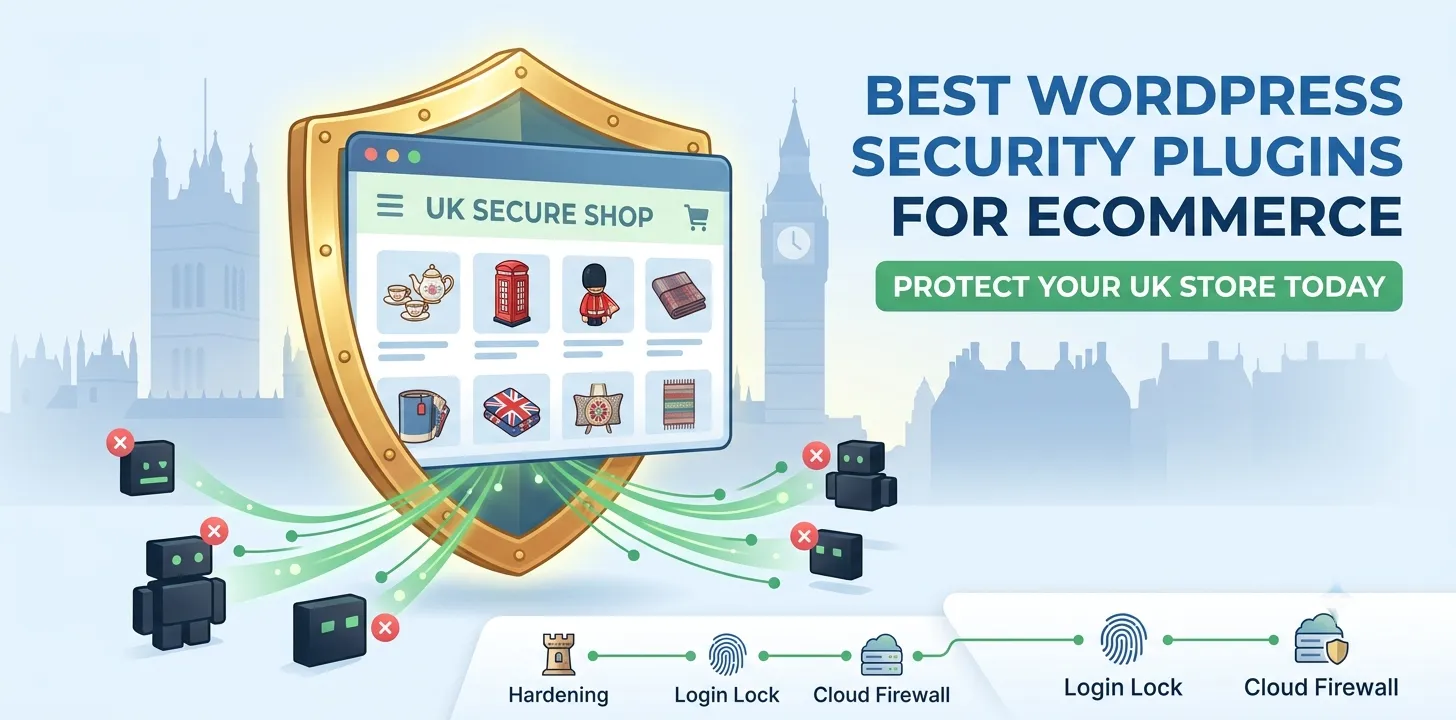

Running an online shop in the UK is hard work. You spend time picking products, getting traffic, and making sales. But hackers love online shops. They try to steal customer data, swipe credit card details, and crash busy sites. If your site gets hacked, you lose money and trust fast.
Protecting your store does not need to be hard. The right tools keep bad bots out and keep your cash flow safe. This guide shows you the top security tools for your store. You will learn how to lock your login page, stop malware, and keep customer payments safe.
If you want to build a safe store from day one, read our related guide on how to set up WooCommerce for UK businesses. By the end of this post, you will know how to pick the best security tools and keep your online store safe all year round.
Best WordPress security plugins for ecommerce
Online shops need strong protection to safeguard customer data, process payments safely, and block automated attacks without slowing down checkout speed.
Wordfence Security
Wordfence is one of the most popular security tools for online shops. It acts like a digital security guard for your website. It runs a live firewall that stops bad traffic before it can harm your site. It also scans all your theme and plugin files to look for hidden bad code.
Last year, a local clothing shop in London came to us after their store slowed down. Automated bots were trying thousands of passwords every minute to break into their admin panel. We set up Wordfence on their site right away. The tool blocked the fake logins instantly, and the site speed went back to normal.
Here are the top features of Wordfence:
- Web Application Firewall: Blocks bad web traffic and hack attempts in real time.
- Malware Scanner: Checks core files, themes, and plugins for bad code.
- Brute Force Protection: Limits login tries to stop password guessing.
- Two-Factor Authentication: Adds a extra phone code step to your admin login.
Wordfence is great for new store owners because the free plan covers all basic needs. The paid plan gives you real-time updates for new online threats.
Sucuri Security
Sucuri is a top choice if you want a tool that works off your main website server. Instead of checking files inside your site, Sucuri sits in front of your shop in the cloud. It filters out bad traffic before those requests even reach your UK web host.
During a busy Black Friday sale, a UK gift shop we advise faced a sudden attack aimed at crashing their server. Because they used Sucuri, the cloud firewall blocked the bad traffic. The store stayed online, and thousands of real shoppers completed their orders without any delay.
Key benefits of using Sucuri include:
- Cloud Firewall: Stops attacks before they reach your hosting server.
- Speed Boost: Includes a Content Delivery Network to load pages faster.
- Hack Repair: The paid team removes malware for you if your site gets hit.
- Blacklist Monitoring: Checks if search engines flag your site as unsafe.
Using a cloud tool like Sucuri keeps your server fast. This is vital for busy shops with high daily sales.
Solid Security
Solid Security used to be called iThemes Security. This tool focuses on hardening your site settings. It locks open backdoors that hackers use to gain control. It is very simple to set up, even if you are not tech-savvy.
We installed Solid Security for an online bakery in Manchester. They did not need heavy file scanning, but they had many staff members logging in every day. Solid Security forced every staff member to use strong passwords and set up two-factor authentication on their phones.
Top features of Solid Security:
- Password Requirements: Forces all users to create strong, safe passwords.
- User Action Logs: Tracks what staff members change inside the dashboard.
- Database Backups: Makes quick backups of your store data.
- Magic Links: Lets admins log in safely without using standard passwords.
If you want to learn how to keep your store fast after locking it down, check out our related guide on site speed tips for UK shops.
MalCare Security
MalCare is built specifically to be light on your website server. Many security tools use a lot of server power while scanning files. This can slow down your shop while customers try to buy products. MalCare runs its deep scans on its own outside servers instead.
Here is what makes MalCare unique:
- Off-Server Scans: Scans your files without slowing down your site speed.
- Instant Removal: Cleans bad code from your site with one click.
- Smart Firewall: Blocks bad bots while letting real shoppers through.
- Vulnerability Alerts: Tells you when an installed plugin has a safety flaw.
MalCare is a fantastic option for WooCommerce stores with thousands of products that cannot afford any slowdowns.
Frequently Asked Questions
Understanding website safety helps you pick the right tools, protect your store, and keep your customer data safe from online threats.
Do security plugins slow down my online shop?
Some tools can slow down your site during heavy file scans. Choosing lightweight tools or cloud firewalls keeps your site fast for shoppers.
Is a free security plugin enough for a store?
Free tools work well for basic login protection. However, busy online shops usually need paid tools for live firewall updates and hack removal.
Do I need a plugin if I have SSL?
Yes. SSL only encrypts data sent between the customer and your site. A security tool protects your site files and database from direct hack attempts.
Conclusion
Keeping your online shop safe is essential for your business. Hackers target stores of all sizes, but you can stop them with the right tools. Tools like Wordfence, Sucuri, and Solid Security block bad traffic, safeguard login pages, and protect customer payment details. A safe site keeps your business open and builds trust with your buyers.
Our top expert tip is to keep your security setup simple. Do not install two heavy firewall tools at the same time, as they can clash and cause errors on your site. Stick to one main tool for firewall protection and file scanning. Combine it with strong passwords and regular site updates for the best results.
Your next step is simple. Pick one tool from this list today, install it on your site, and turn on two-factor authentication for all admin accounts. Taking action now protects your shop and gives you total peace of mind.