
Do you want to build a website? Maybe you want to share your art, sell old books, or start a new blog. Many people feel stuck. They think code is too hard to learn. They worry it takes months to build a clean page.
The good news is that you do not need to code. You can use a tool called WordPress. It powers a huge part of the internet. It helps regular people build blogs, shops, and large schools without any stress.
In this guide, you will learn how to use WordPress the smart way. We will look at how to set it up, how to pick the right plugins for online classes, and how to keep your site fast. By the end, you will have the skills to run your own site with confidence and ease. Let us dive in and see how easy web design can be.
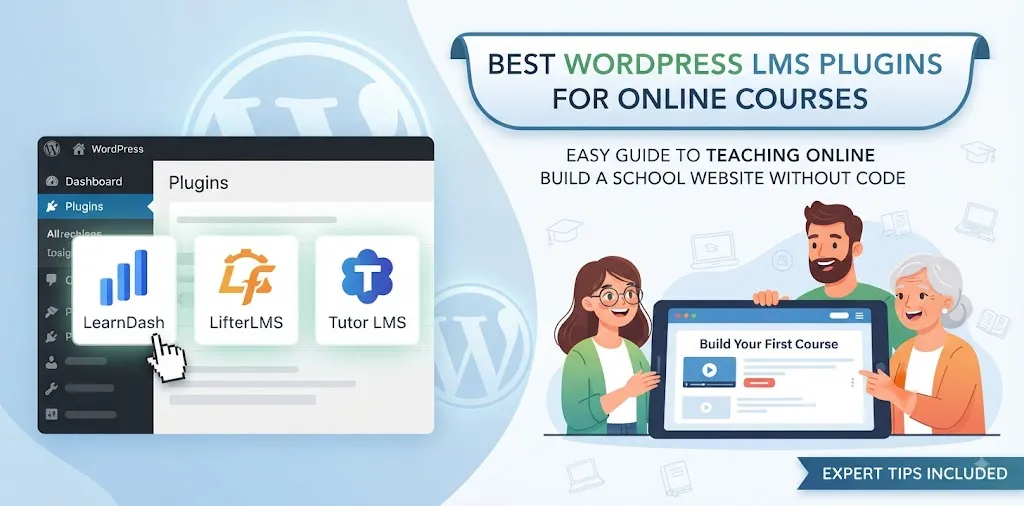
Best WordPress LMS plugins for online courses
Choosing the right course plugin is key to running a great online school. Here are the top choices to help you build your site.
LearnDash
LearnDash is a top tool for teaching online classes. It is built for creators, teachers, and big schools in the United States who want a smooth setup. When I first used LearnDash for a client who taught guitar online, I was amazed by how fast we set up the quizzes. The drag-and-drop builder makes it simple to sort your lessons into neat modules. You can add videos, text, and sound files with zero fuss.
- Easy drag-and-drop course builder
- Smart quiz maker with many question types
- Built-in tools to give out certificates
Students love to track their progress. LearnDash gives them a clean dashboard where they can see what is next. You can also drip content out over time. This means students get new lessons each week instead of seeing everything at once.
It also connects with tools like Stripe and PayPal so you can sell your classes fast. For a related guide on taking payments, check out our post on top e-commerce setups. If you want a tool that grows with your business, this is a strong pick.
LifterLMS
LifterLMS is another great option for building your online school. It focuses heavily on student engagement and community building. Last year, a friend of mine used LifterLMS to launch a fitness coaching site. She loved the membership features because she could lock certain pages so only paying members could view them.
- Strong membership and restriction controls
- Multi-tier pricing tables for your classes
- Engaging student forums and badges
You can make your site feel like a game. Students earn badges when they finish a lesson or pass a test. This keeps them excited to come back each day.
LifterLMS also lets you sell courses as a single buy or as a monthly fee. It works well with many popular WordPress themes. You do not need to be a tech wizard to make it look good. If you want a site where students talk to each other in a forum, give this plugin a close look. Read our related guide on setting up secure logins to keep your student data safe.
Tutor LMS
Tutor LMS is a fast and modern plugin for online classes. It brings a fresh look to the WordPress space. It comes with a smart front-end course builder. This means you can build your class while looking at how the live page appears to your students.
- Modern front-end course builder
- Advanced reports and earnings graphs
- Built-in Zoom integration for live classes
Many teachers love the Zoom feature. You can host live video calls right from your dashboard. Students can join the call with one click.
The reporting dashboard is also very clear. You can see how many students joined, how much money you made, and which quizzes are too hard. This helps you fix weak spots in your teaching. It is lightweight, meaning it will not slow down your web page. For anyone wanting a sleek, fast school site, Tutor LMS is a smart choice to test out.
Frequently Asked Questions
Here are the top questions people ask about WordPress and online courses.
Is WordPress hard to learn for beginners?
No, it is very simple. With a bit of practice, you can build pages, add images, and publish posts in just a few minutes every single day.
Which LMS plugin is best for selling classes?
LearnDash and LifterLMS are the best. They both work with top payment tools, have strong security, and let you offer subscriptions or one-time fees easily.
Do I need to know how to code to use these tools?
No coding is needed. Most modern plugins use visual builders where you just click, drag, and drop items right onto your live web page.
Conclusion
Building a website does not have to be hard. You now know how to pick the right plugin to teach your online classes. WordPress gives you the power to share your skills with the world.
Here is a final expert tip: always test your checkout page before you tell your friends or fans about your new class. Make sure payments go through smoothly.
Your next step is to pick a hosting plan, install WordPress, and load up your favorite plugin. Take it one small step at a time, and you will have your online school running in no time.